Host Multiplayer Online
For Advanced Users Only
Hosting a multiplayer server is best done if you know how to host servers already and how to secure your system and networks
Do not host from Personal Computer
We do not recommend hosting a multiplayer server from your personal computer due to potential security issues (see Note 3 below for details)
- Install the server as described in Play Single Player Offline
- Take the local server you've built and run with the start local server script, then copy the full folder from:
\server\src\Shadowrun.LocalService.Host\bin\Release
To the machine you want to host it on.
- Update these files:
Release\Resources\config\config.xmlRelease\Resources\config\LauncherConfig.xml
Replace all instances of 127.0.0.1 with the reachable public IP/hostname of your server.
Notes
- If you're hosting on a LAN for local play, this can be a local IP 192.168.x.x or a hostname
- If you want to play with other people over the Internet, it needs to be the public IP or a hostname that resolves to the public IP of your server.
- If you are hosting your own multiplayer server, you will need to port forward all 3 of the ports mentioned in step 4 of Play Single Player Offline. This can cause security risks as one of them is port 80
Server Status Page
A server status page can be accessed by opening the server's /URL in a browser (HTTP-only for now, so start the address with HTTP in your browser and HTTPS warnings when accessing it are normal): 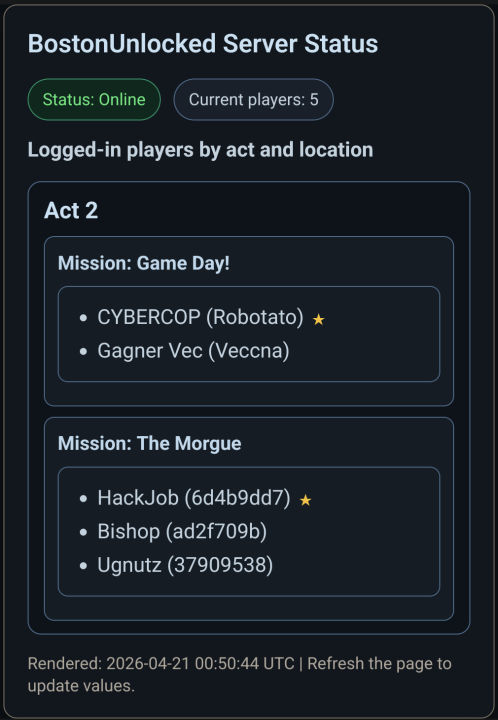
Update regularly
Make sure to regularly update your server to have the latest bugfixes and improvements!